2005
permalinkTreo 650 USB Networking - Works
I got the USB networking layer up and running last night. The secret was determining the correct GPIO for USB cable insertion/removal. Everything else was handled already!
Pinging a device over a USB cable is neat to watch, but Shadowmite is working on getting dropbear ready so that we can SSH over to the phone. This will make it easy to quickly transfer new kernel modules (saving a reboot).
2GB SD Card Works!
Thanks to a tip by Richard Purdie on the kernel-discuss mailing list, I found the problem. It turns out that the Linux MMC layer assumes that the card has a 512-byte block size.
I managed to work around it by forcing the block size on my card to be 512 bytes (even though it returns 1024 bytes). This isn’t the correct fix, but it seems to do the job for now. I’ll look into a proper fix once I have a chance to come back to it.
More SD/MMC woes
So more hacking on the SD/MMC and I’m still the only one without it working. Two or three other testers have everything going, even so far as mounting rootfs off the SD card!
I tried a number of different things to get it working, including fixing a couple of things that look like bugs in the pxa-mci driver. Still not sure what is going on, but I’ll keep hacking at it.
Other guys on irc have started hacking on other interesting bits, including some doing Bluetooth work. We’re also going to try a custom build of Alex Osborne’s GPE image to see if we can’t get it booted using a slightly modified version of his LifeDrive build.
The remaining stuff we need to do right away:
Treo 650 and LifeDrive Linux
I started reading through Alex Osbourne’s patches for his port of Linux to the Palm LifeDrive and it turns out that a lot of the work for supporting the Palm Hardware has already been done!
This an example of where Open Source shines – each new platform developer writes a couple of new drivers, making it even easier for the next port that comes along!
I just wanted to thank Alex for blazing the path that I’m going to be following here. There’s a lot of work in decoding GPIOs and handling the minor platform differences, but we can certainly share a lot of code.
Treo 650 SD/MMC Driver
Last night’s hacking progress was targeted at getting the SD/MMC driver up and running. Since the PXA27x platform has built-in SD/MMC support, it’s just a matter of setting up the SD/MMC communication GPIOs (clock, data, command channel) and locating the GPIOs for detecting SD card insertion events and read-only status.
I haven’t managed to get the SD card driver working on my phone, but I think it has something to do with my SD card. One of the testers on the IRC channel got it to mount his 512MB high-speed SD card correctly.
Treo 650 Keypad Works
Using the PXA matrix keypad driver from the LifeDrive Linux port, I managed to get full keyboard support for the Treo 650. It took a lot of manual keyboard matrix decoding, but you can now type into the Busybox shell!
I need to figure out why Busybux isn’t accepting the KP_ENTER key as a proper return. I’ll bet it’s some sort of userspace keyboard mapping, but I’ve never played with that sort of thing.
Treo 650 Handhelds.org Page/LCD Update
Get it while it’s hot! I’ve started dumping information to the handhelds.org wiki:
I also managed to get the LCD properly initialized last night. It turns out that the L_BIAS pin set in pxafb.c is being set, even if the attached display doesn’t require it. This causes the Sony LCD that the Treo uses to go entirely white (as if it were disabled). Commenting this line out fixes it, but I’ll need to add a proper check for display type before submitting a patch to handhelds.org.
Once I have a keyboard driver and some way of communicating with the device (it’ll be either Bluetooth or USB Ethernet) I’ll probably push out a release for early adopters to play with.
Treo 650 Boots Linux!
After a week of hacking, I finally convinced my Treo 650 to boot linux.
I have a page registered on handhelds.org where I’ll be collecting information once I get a bit further. I’ll try to have something available so more people can have a go at it.
To answer some of the questions people have had:
Excuse the CSS mess
For those of you reading via the website rather than RSS, please excuse the CSS changes that have been happening over the last couple of hours.
I decided it was time for another CSS tweak, but it should be done now. I haven’t tested it on IE yet, but I’m crossing my fingers that it still works!
Update: Looks like everything degrades well in IE (phew).
Blogging goals - revisited
From the first posts I made to this blog in 2003, I’ve had a couple of blogging goals in mind. I want to reiterate them to keep myself on track:
One month of Sage (the newsreader, that is)
It’s been 40+ days since I switch off Sharpreader to the Sage extension for Firefox. My blog-reading habits have changed as a result of the switch as well.
One of the big changes is that I’ve found myself reading only the latest few articles per blog, rather than attempting to read all the new articles like I did with Sharpreader.
Sage lacks an auto-refresh feature, but because of this I’m feeling less pressured by my newsreader to catch up constantly. I refresh only once or twice a day now, down from the “every four hours” of Sharpreader.
Overall I’m impressed. The only features I’d like to add would be:
VMWare Player
Now this is a virtualization product to get excited about! VMWare has decided to release a free version of their powerful VMWare workstation product that can run, but not create, virtual machine images.
Since they’ve included the Linux version in this deal, you might be seeing Live CDs with a full virtual machine player installed. In fact, you could distribute your application as a Linux LiveCD that boots your application image in VMWare!
I also imagine that we’ll be seeing VMWare-enabled Linux distribution demos. What better way to try out a different flavour of Linux without installing it?
Build your own e-Ink reader
eInk is offering a development kit for its new active matrix electronic paper prototype. For only $3000, you can build yourself an e-book reader with their Linux-based evaluation board.
I think I’ll bite when this drops below $300.
OpenDocument for Australian National Archive
From Groklaw:
The Australian National Archive has selected OpenDocument XML for long-term storage of government documents. GovTech News also reports that Open Source Victoria has called for all remaining Australian government institutions to follow Massachusetts’ lead in adopting OpenDocument XML…
Wow.
Switching blog readers
I’ve decided to take the plunge and switch RSS readers. I was using SharpReader at work under Windows and Liferea at home under Linux. Neither reader met my needs very well. I found that SharpReader was a big memory hog and suffered from the general heaviness of most client-side .NET applications. Liferea at home was fast and supported the page-per-blog model, but it was somewhat crashy.
Starting today, I’m using the Sage RSS Reader at home and work for my RSS reading. It’s a firefox plugin, so I can use Adblock to block those annoying feedburner ads in some of the feeds that I read.
trac - project tracking tool
I took a close look at Edgewall Software’s trac tool today. It’s an integrated bug-tracker, wiki, Subversion repository browser and general project goal management tool, all available in a single web interface. It’s open-source and free for anyone to download.
The tight coupling of all the services seems to be a major win for this tracking tool. All of the components are aware of changes in the other components and can react appropriately. This is apparent in the timeline view that picks out changes from all the modules and puts it into a single project overview.
Want an open-source project?
I’ve decided that after nearly a year of very little activity, it’s time to start looking for a new maintainer for nprof.
nprof is pretty much the only open-source .NET profiler on the map. It has support for multi-threaded, multi-appdomained applications and even has basic support for profiling ASP.NET.
I am sad that I have to move on from the project before it hit 1.0, but it’s clear that my limited time isn’t going to change any time soon. With someone that has time to contribute to it at the helm, I’m certain the 1.0 release will be spectacular.
Contact me either via email or on the nprof-developer mailing list if you are interested.
mo:Blog rocks
I accidentally posted my last entry while playing around with mo:Blog. It’s very handy to be able to compose a message offline and post it when you please!
The only missing feature is that I can’t seem to set categories per-post. There is an option to set the category per blog, but that’s a big pain to change every time.
I like Typo (and its XML-RPC backend) more and more every day.
First (typo) post!
I’m taking the plunge and making Typo my primary blogging engine.
It’s going to take a while to get used to the markup filter method of blogging (vs. the WYSIWYG method I was using before).
Typo gives you three choices for markup:
- Textile
- Markdown
- Markdown w/Smartypants
New blog up and running (hopefully)
I think I’ve got my blog converted over to Typo now. It’s going to be a bit of a pain getting my old article archives up and running, but the tough part was just getting the blog ported over.
I’m not going to worry about importing all my old articles into the new blog. I have some mod_rewrite rules set up to ensure that all the articles are redirected from their many old URLs to their new homes.
I have the old news archive available here, but Google is still the best way to find stuff on here.
The State of Wine
I’ve been very much impressed with the state of the Wine project lately. It’s gotten to the point where I can assume that a program will work under Wine, rather than assuming that it won’t.
One of the major supporting companies, Codeweavers, has done a great job with packaging up Wine and putting a fair bit of polish into it. It installs flawlessly (just run their custom installer) and then gives every user their own virtual Windows environment. It also has support for a system-wide environment, but I haven’t played around with that much.
Considering Typo for Blogging
After seeing Typo on a few high-profile blogs, I’m considering making the switch to a different blog engine. I’m hoping this will help me post more often than I do.
Switching to a new blog system is tough when you consider the problem of legacy blog posts. Thankfully, I can probably use mod_rewrite to archive my older posts without having to worry about importing them into the new blog system.
With any luck, I’ll be able to jam my current site template into Typo and have a seamless switchover.
Treo 650
Just got myself a Treo 650 last week off Ebay. It’s an aftermarket-unlocked, Cingular-branded phone, about $100 cheaper than purchasing an unlocked GSM phone directly from palmOne.
This device is very cool. It supports a form of dial-up-over-USB through its virtual serial port. Under Linux, I just need to point pppd at the /dev/ttyUSB0 device and the device gets itself a nice internet connection:
pppd /dev/ttyUSB1 :192.168.145.200 ms-dns 192.168.145.2 nodetach proxyarp
If you’re running Windows, it looks like Softick’s PPP client does the same thing.
USB over IP
I went looking for something like this a few months ago but I seemed to miss the USB-over-IP project over at Sourceforge. This project implements a virtual USB stack on one side that receives USB events from another system.
This would be a great project to combine with a Linksys NSLU2: a USB-over-IP server for less than $100.
Lots of Wiring
Three spools of wire and CDN$ 470 later, I’ve got 1000 ft of Cat 5e and RG6 (both fire-rated) and 300 meters of 14 gauge fire-rated audio wiring.
If anyone is considering a home wiring project, this is a good time. Home Depot has some 10% off in-store coupons good ’til the 17th.
Home Audio Wiring
We’re building a new home and I’ve decided that I’m going to do the audio part of the structured wiring myself. Some interesting things I’ve learning in my research:
Fedora Core 4 Impressions
I’ve had a chance to play around with Fedora Core 4 for a week and it’s turning out to be one of the best Fedora releases out-of-the-box.
It doesn’t look much different that Fedora Core 3 did. The biggest changes under the hood are the updates to the Xorg and kernel packages, as well as compiling everything for GCC 4.0. My desktop looks identical to the one that Fedora Core 3 showed me, with the exception of the new “Places” and “Desktop” menus - the two new top-level menus that come from the latest Gnome iteration.
EVMS
I spent a few hours this weekend converting my entire Fedora Core 3 system over to EVMS. The advantage over using one of the other alternatives like the bdclaim patch is that EVMS can manage your root filesystem. This lets you alter the underlying storage of your root filesystem, including “hotswapping” one storage device for another without having to boot to a shell.
It isn’t straightforward getting this working in Fedora Core. You’ll need to do some initrd hacking to get it up and running.
Here’s what you need to do. Note that this assumes that you are running the same kernel that you’ll be booting:
House Selling
Selling a house is always so much work. We’ve been painting window sills and ceilings, cleaning windows and putting way more effort into our lawn than usual.
It’s a shame I can’t just make a backup of the house every couple of years and then restore it.
Mozilla SVG+foreignObject vs XAML
It should be interesting to see if the Mozilla Foundation can push out a cairo-based Gecko 2.0 engine with SVG and foreignObject support before Microsoft gets XAML out the door with Longhorn. Having SVG+foreignObject available in every browser would open up a lot of new potential for web development without flash.
From what I’ve read, Robert O’Callahan at X-Tech demoed SVG rotating a Cairo-rendered Google homepage. Amazingly, you can still interact with rotated page as you would a normal page. This looks like some of the stuff that has been coming out of the XAML camp over the last little while.
Google Web Accelerator
I tried out the Google Web Accelerator today - it’s an interesting product that likely is helping Google as much as those that install it. I’ve seen a number of people discussing how Google can use it to silently spider the web. Interestingly, a packet trace discovers that data flows upward from the user’s computer to Google’s servers - likely sending the data back to Google’s cache.
I wonder if this is similar to the “rsync HTTP cache” idea that was floated a while back. It used a form of delta compression - possibly what this Google Accelerator product does.
Canvas Tag - What it Means
The new <canvas> tag might be useful in building a smoother and more functional Google Maps implementation than Google currently has.
Instead of pasting images together and scrolling them as necessary, you could blit them to the canvas at the appropriate location using drawImage(). Drawing routes on top of the map would be a simple transparent line drawing operation.
You could also write tile-based games that ran in a web browser without plugins. Think nethack or Freeciv implementations.
Mozilla and the Canvas Tag
Looks like the <canvas> tag has landed on the Mozilla trunk. More info available in bug 288714.
Brendan Eich sums it up pretty nicely in the bug comments:
We are turning canvas on – it’s already on by now. Get over it. Nothing in a relatively new spec is set in concrete, but that does not prevent useful work from being built on it. This is how the Internet protocols, and then the web, were built. Welcome back to incremental innovation. The lull of six years of monopoly-induced stagnation is over.
Professional Practice Exam
I wrote the Professional Practice exam for APEGGA on Monday. It’s not terribly difficult, but it certainly requires you to do the reading they’ve given you. I’ll get my results in about six weeks.
Too Busy For Words
Well - that about sums it up!
More Picasa2 - Slideshow and Timeline
I managed to get the Picasa2 slideshow and timeline functionality working within Wine by adding support for DirectDraw surface locking and faking out some overlay surface capabilities. It works pretty well, as you can see:
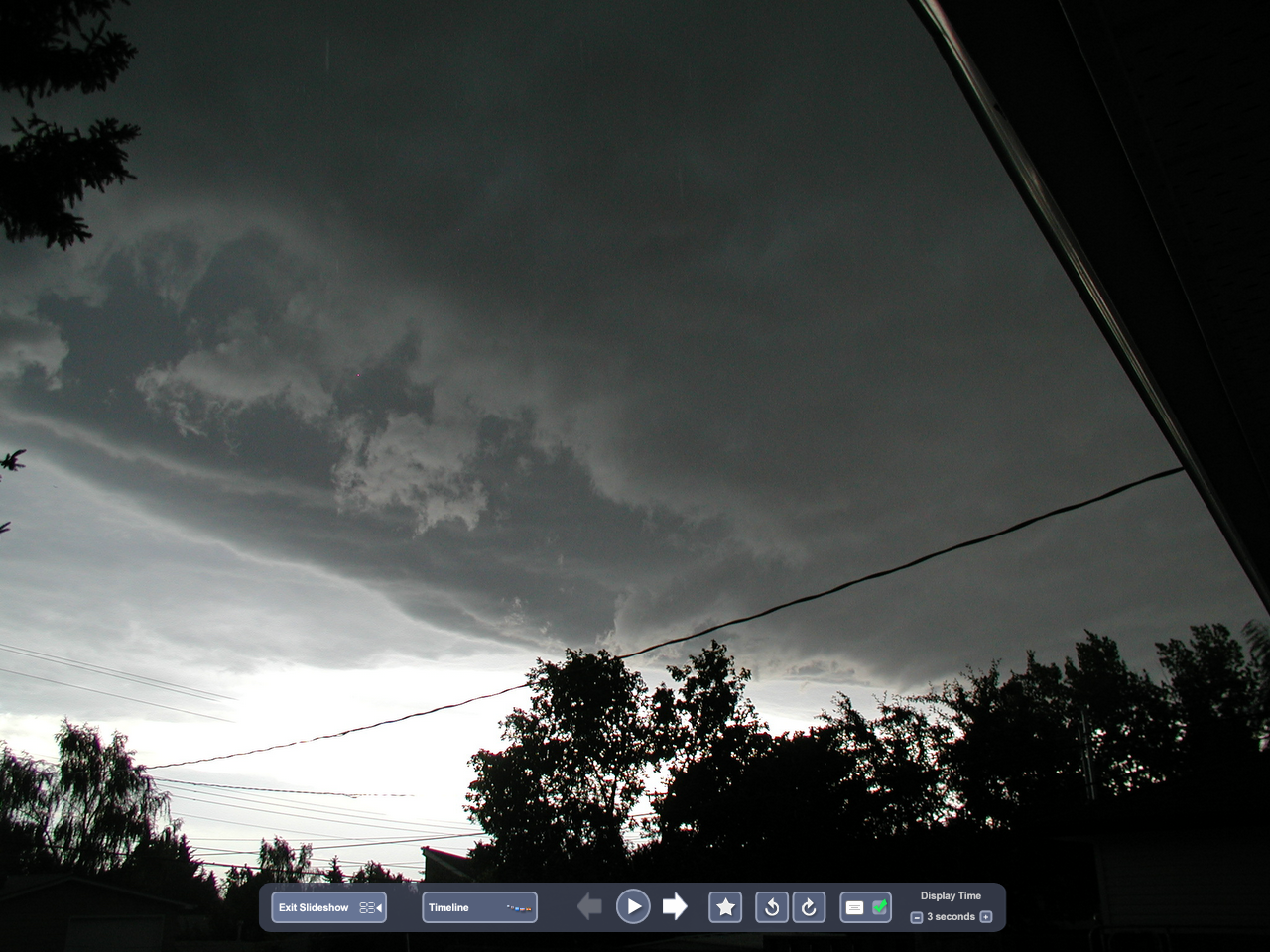
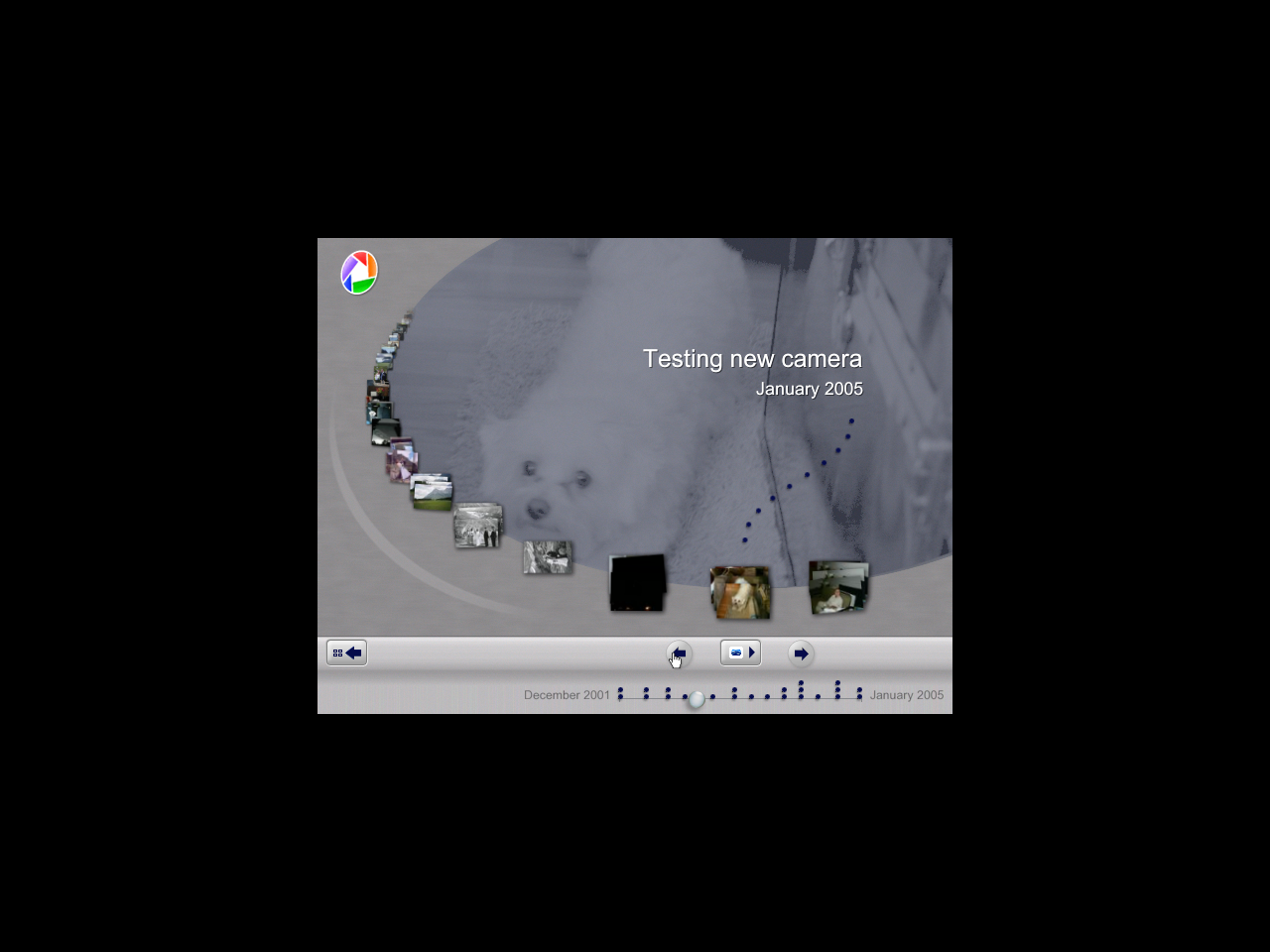
The timeline isn’t stretched to fill the entire window like it would be with a proper overlay stretch implementation. I think they render to a 640x480 texture and scale it fullscreen to save processing power in their default mode. The slideshow seems to be fullscreen when the overlay control bar is showing, as you can see in the first screenshot, however.
Picasa2 under Wine
Picasa2 seems to run great under Wine. The one issue so far is the corrupted fonts for the album headers:
Upgrading to the latest Wine CVS seems to fix that problem - here’s some cool shots from the program under Wine:
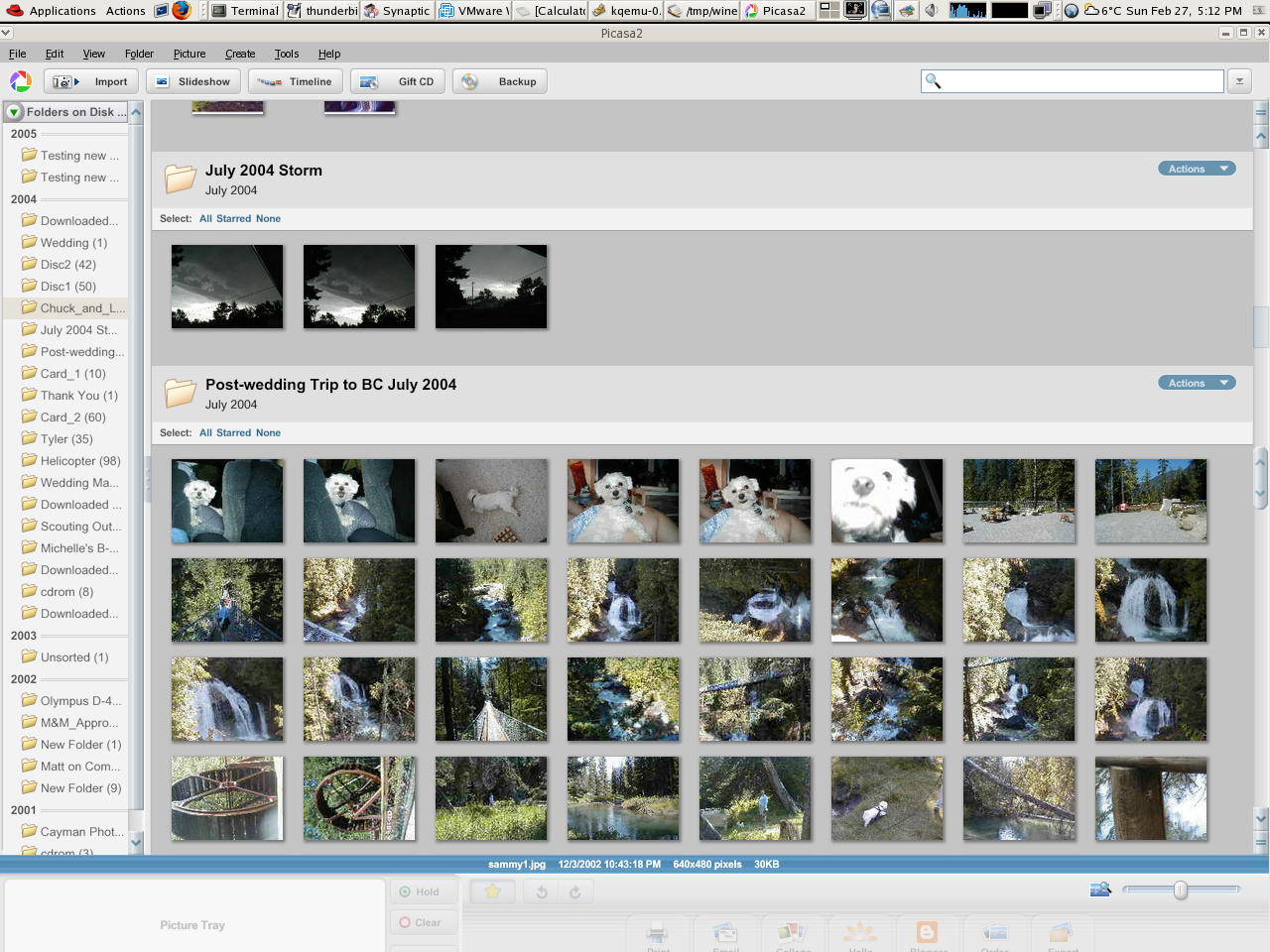
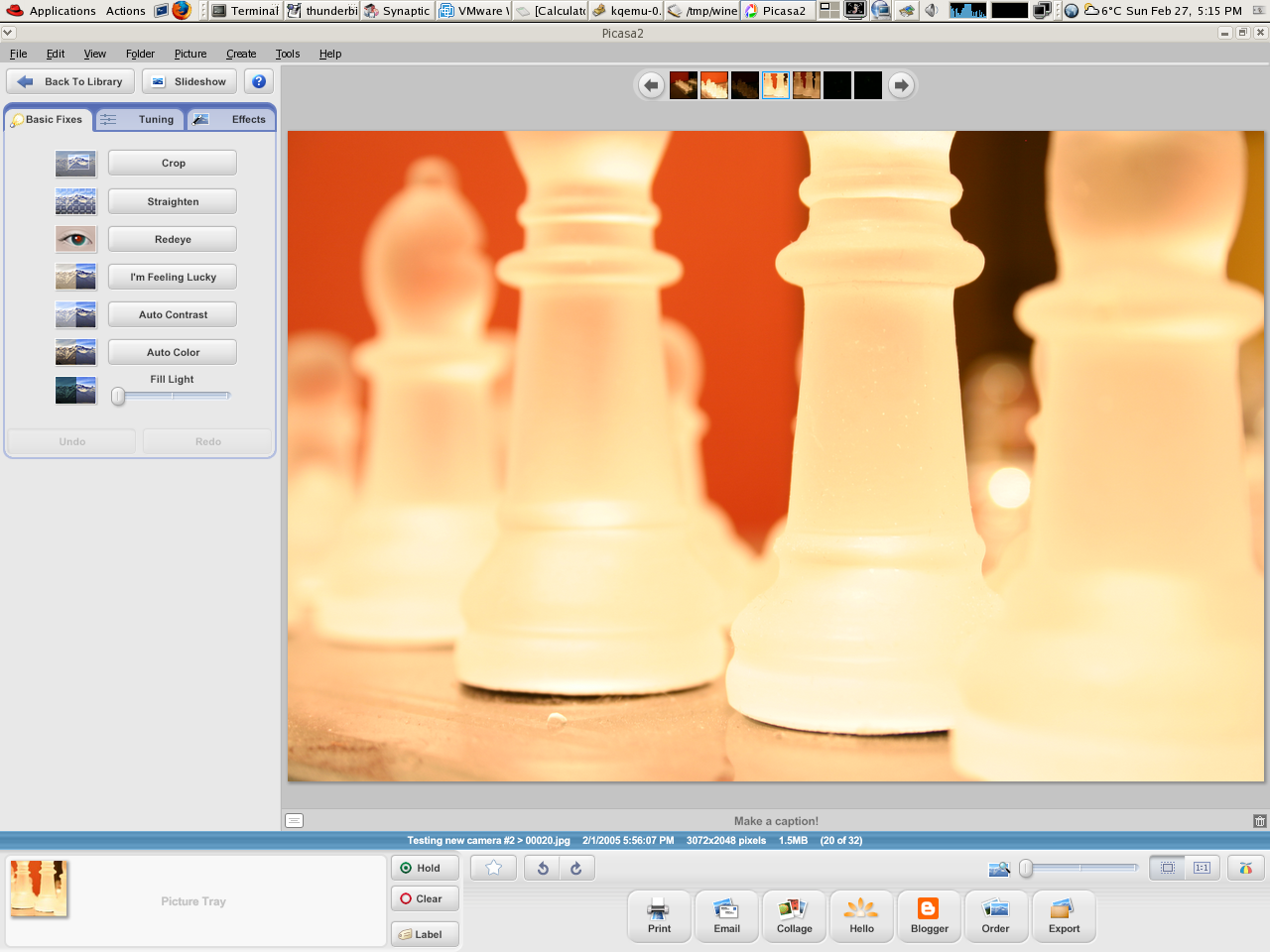
Some of the features don’t work, like printing or mailing photos. I’m not sure how much of the MAPI stuff Wine has re-implemented, but that’s likely why it’s not working.
Good Green Vehicle News in Canada Budget
Buried within the 2005 Canadian government budget is a comprehensive section on “green plans”. One of the interesting hilights is the promise of a “feebate” for energy-efficient cars (and a possible levy on more polluting vehicles). There isn’t a lot of detail about this plan, but it’s certainly a welcome change:
QEMU Gains Kernel Support
Fabrice Bellard has recently added kernel monitor support to QEMU (The QEMU Accelerator Module, or kqemu), allowing it to execute simple instructions natively on the CPU - much like other virtualization tools like VMware do.
The speed improvement is dramatic and places QEMU near the the top with other virtualization technologies, though it lacks the high-quality GUI and administration tools of the other enterprise products. Best of all, it’s completely free!
New IE Exploit- SP2 ONLY
Slashdot is mentioning a new exploit that affects SP2 only. It’s basically another “remote command execution” letting anyone run anything on your system. No mention of it on blogs.msdn.com or Scoble’s weblog.
The sad thing is that those using XP SP1 aren’t affected. It’s only those who are up-to-date with their patches.
MAME Cabinet: High on paint fumes
Just to prove to myself that I’m still working on this cabinet, I started staining the sides with a black stain that I bought a few weeks ago at Rona. This stuff should not be used in a poorly ventilated basement.
It’s looking good after the first coat, but it will surely need a lot more to get it the depth of black that I’m looking for. I’ll probably end up having to put a really shiny topcoat on it to give it gloss I’m looking for.