Blog
permalinkx0rfbserver dead - long live x11vnc
It seems as if x0rfbserver is no longer around. I’m not sure the program was really supported by its author, so it’s no surprise. Fortunately, a number of replacements have popped up!
So, for a fantastic replacement application, try x11vnc by Karl Runge. I managed to get this installed and running with virtually no effort. It uses the fantastic libvncserver library to do its magic. Just make sure that you have the requirement libraries, headers and source (libjpeg-devel, zlib-devel and XFree86-devel) available.
Starting it is just a matter of running the x11vnc executable. For anyone looking for VNC for an existing X11 session, I highly recommend this program.
CreateToolWindow without a Shim
For those of you writing Visual Studio.NET 2003 add-ins in C# (or any other .NET-enabled language), you might have noticed that CreateToolWindow doesn’t really work with real .NET controls. Fortunately, this piece of code fixes this problem. It’s a bit of hack, but it works for me so far and was created by using Reflector to figure out exactly what was going on.
Sharpreader via Mozilla
I’ve managed to replace the built-in IE control in SharpReader with a nice, fast Mozilla ActiveX control. There’s a few easy steps to follow to get this working:
- Stop SharpReader.
- Download and install the Mozilla ActiveX control: MozillaControl.exe (5 MB).
- Rename the file AxInterop.SHDocVw.dll to AxInterop.SHDocVw.dll.old.
- Extract the new AxInterop.SHDocVw.dll file from here: (download no longer available) (11 KB).
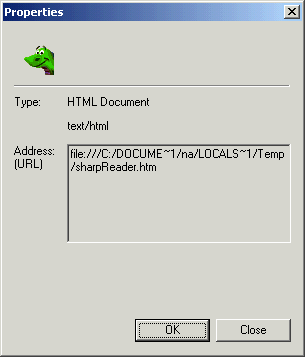
That’s it- when you start SharpReader, you’ll see a nice Mozilla window instead of IE. To test if it works, right-click the page and select “Properties”. You’ll see a Mozilla-style window like this if everything worked:
RSS + CSS + XSL = Love
In his latest post about RSS, Robert Scoble says:
“Now, imagine a new syndication format that brought up a page that showed what a news aggregator was, and explained how the system worked and why it’s more productive.”
My challenge: create a plug-in XSL file that works with RSS to explain to the user what RSS is and point him at a application to read RSS.
This is actually a fairly easy task. XSL can be plugged into any arbitrary XML file via something called a processing instruction. In the XML file, these appear as tags of the form:
FreeTextBox
Mental note: FreeTextBox looks really cool. This would be a great addition to TWiki.