Blog
permalinknprof: Not Dead Yet
Contrary to popular belief, I’m not dead and neither is this project. :) I’m busy getting ready to release the next version of NAnt, the other open-source project I work on. Unfortunately, I only have a limited number of hours per week to devote to all of the projects I contribute to. This means that progress might be spotty at times depending on whether I’ve gotten to something or not.
As for the code in CVS, I’ve had reports of it not being compilable. Unfortunately, there have only been a few reports in total. Let me know how the code works for you if you’ve had a chance to try it out!
Importing nprof sources to CVS
I’m trying to import the nprof source into CVS as we speak, but I think the Sourceforge servers are down. This may have to wait a day or two. There is currently a source zip snapshot on the Files page for interested parties to take a look at.
Update - whadayaknow? I managed to get it uploaded.
nprof alpha 0.2 released
The nprof 0.2 alpha release is now available! Some of the new features include:
- More accurate numbers for total time %
- Correctly handles exceptions thrown
- GUI allows working directory and arguments to be specified
- Namespace filter to filter timing info by specific combinations of namespaces
- Basic VS.NET add-in
The VS.NET add-in is very basic right now and has some issues with VS.NET stealing focus. This will be enhanced in future versions. See the README.TXT file for more information.
Main window:
nprof alpha 0.2 in development
The next alpha release (0.2) of nprof is currently in development. The exciting new feature in this release is Visual Studio integration.
By installing this VS.NET add-in, you will be able to enable profiling for your .NET projects from within the environment!
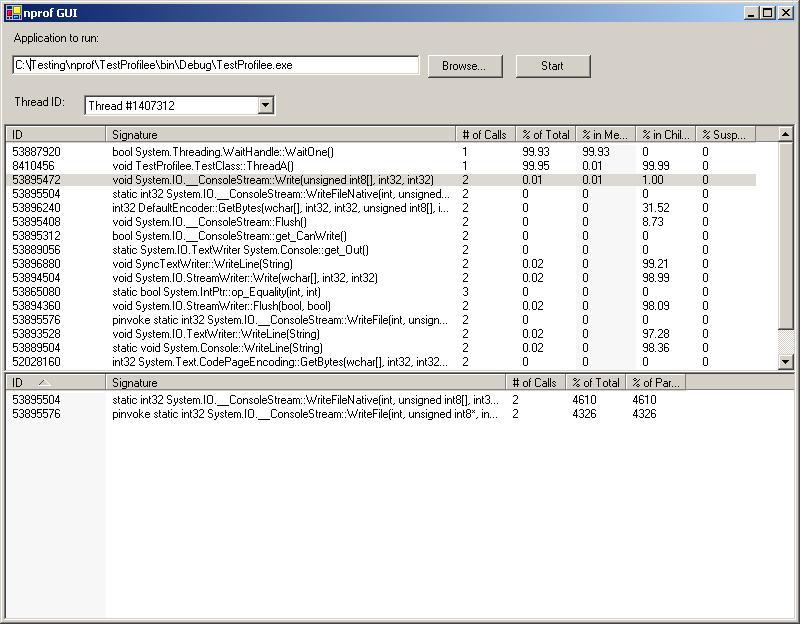
nprof alpha 0.1 released
The nprof 0.1 alpha release is now available! Some of the new features include:
- Ability to profile managed/unmanged code transitions
- Profiler now tracks runtime suspended time
- Thread-aware GUI, filter timing info by thread
- More accurate numbers for total time %
- Show % time in method as well as % time in children
- Check for profiler hook version number, ability to veto profiler hook if mismatched version
Screenshot: