PNG OpenDVD Artwork
I’ve made a PNG version of my OpenDVD artwork available for download. The server doesn’t support .png properly, so you might have trouble viewing the image without the supporting HTML.
I’ve made a PNG version of my OpenDVD artwork available for download. The server doesn’t support .png properly, so you might have trouble viewing the image without the supporting HTML.

BTW, if you’re one of the many people like me worried about losing your freedom to view a movie you have legally purchased (shades of DIVX anyone?), go to OpenDVD, and support the good guys: the Electronic Frontier Foundation (the EFF).
Since AimsLab has gone out of business, I’ve started putting together a rescue page for people with AimsLab cards. Take a look at the page here. If you can contribute any drivers to this page, please email me ASAP and I’ll get them up there.
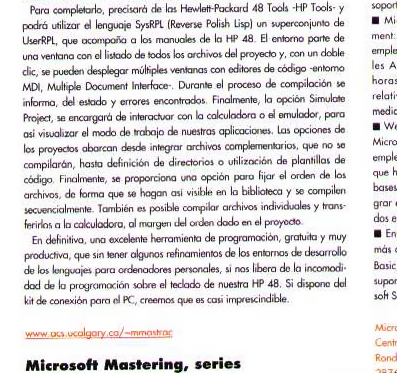
Here’s some exciting news: HP-IDE was featured in the spanish edition of PC-World. Thanks to Guillem Ramis for the message. Here’s his quick scan of the article (it’s now online as well):
Rough translation:
As the HP48 calculator is obviously already a classic of scientific-technical calculation (it has been on the market since 1993), which needs no introduction, it is very interesting to see how they have evolved support for programming. In this area, the PC world is an excellent support, which greatly simplifies the work of coding and debugging, and can store and transfer programs to and from the handheld.
The HP-IDE development environment version 1.21, is based on projects and resembles Visual Studio or Delphi. In its improvements, support for the language of HP 48 or syntactic projections is not included. In contrast, you can emulate the behavior of the application and work interactively with the calculator by internal transfer protocol, which connects the HP 48 with your computer through the Hewlett-Packard Data Link. If you have an emulator and download the ROM, for legal reasons only from your own calculator, it is also feasible to simulate the whole cycle of editing, compilation and verification without leaving Windows.
For completeness, it requires the HP48 Tools – HP Tools – and may use language SysRPL (Reverse Polish Lisp) a superset of UserRPL that is documented in the HP48 manuals. The setting of a window with a list of all files of the project, double-clicking, you can display multiple windows around MDI (Multiple Document Interface) code editors. During the compilation process state and errors found are reported. Finally, the Project Simulate option, is responsible for interacting with the calculator or emulator, so we can visualize how our applications work. The options range from integrated projects supporting files that are not compiled until definition of directories or use of code templates. Finally, an option is provided to set the order of the files so that they become visible in the library are compiled sequentially. You can also compile individual files and transfer them to the calculator, regardless of the order given in the project.
In short, an excellent tool for programming, free and very productive, that without some refinements of development environments languages for PCs, frees us from the discomfort of programming on the keyboard of our HP48. If you have the connection set for the PC, we believe it is almost essential.
Wow, I’m really guilty of letting my page stagnate for months at a time. If you want to see a real world (albeit very cheesy!) use of my The Doctor Is In script, check out Chat With Veronica Bernadette. Emlyn Addison put a lot of work into making this thing talk like a real life Dear Abby. If you’d like to use it on your site too, email me (it’s free for you, but I don’t support it).